Starter
TRY 1,188/ month
For teams bringing their first screens online at one location.
Plan your rolloutMyEkran · The publishing control room for business screens
Manage menus, campaigns, and announcements in one dashboard. Pair each TV with a short code, then publish by screen, location, and time.
Dashboard to display
Prepare the content, choose its publishing rhythm, and pair the screen with a short code.
Live operations view
See connection state, active content, and screen assignments from one operational view.
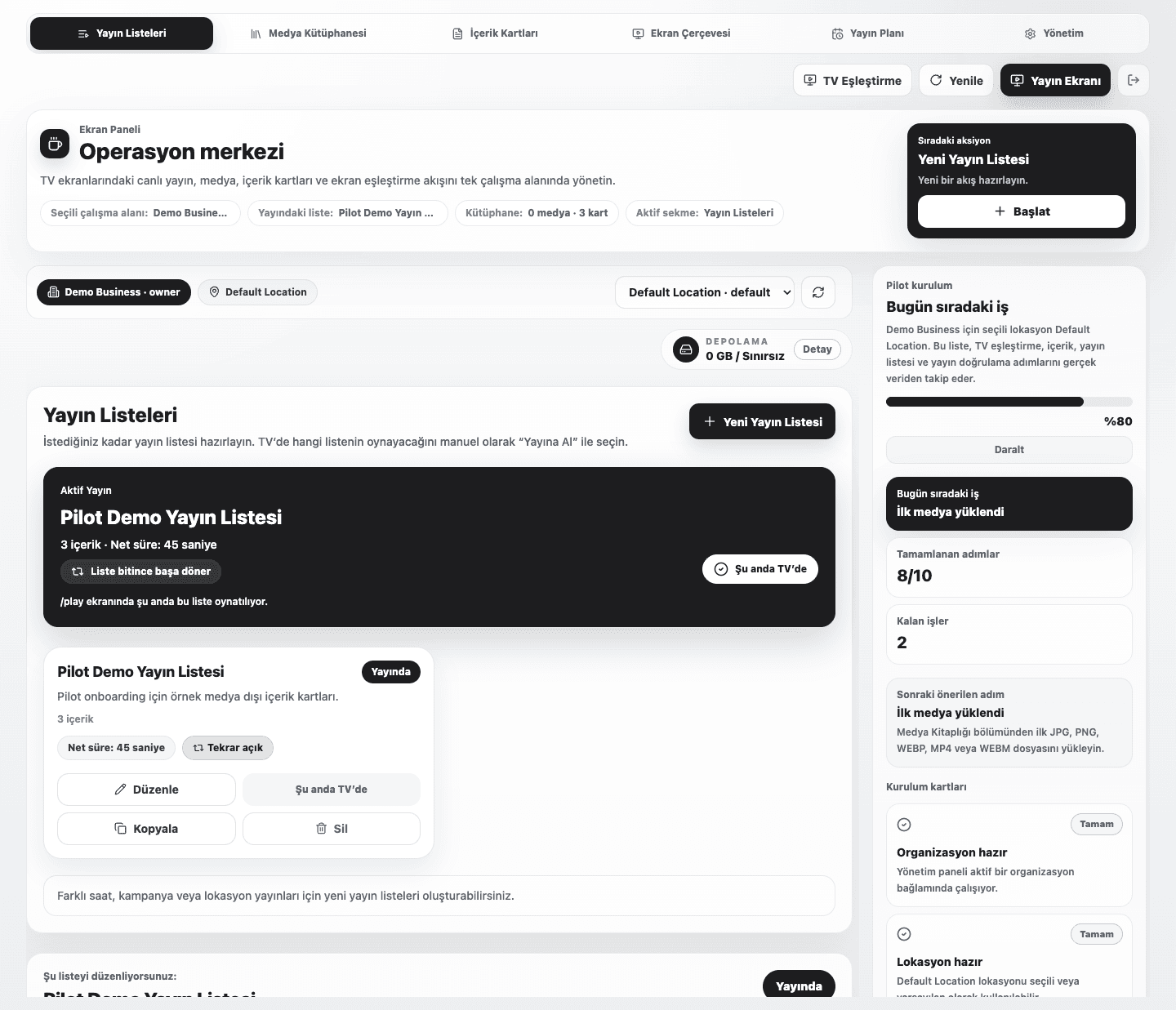
From breakfast menus to waiting-room notices, publish around the way each venue works.
Built around screen count
Choose the screen, location, and team capacity you need, then expand the plan as your operation grows.
Let’s define the setup together
TRY 1,188/ month
For teams bringing their first screens online at one location.
Plan your rolloutTRY 2,988/ month
For teams running several locations from one control room.
Plan your rolloutTRY 6,588/ month
For broader screen networks and operating capacity.
Plan your rolloutPrices are shown in TRY and include VAT. Annual plans cover 12 months for the price of 11. Hardware and tailored services are quoted separately. Read the cancellation and refund policy.
Before rollout
Open myekran.com/tv, then enter the short screen code in your dashboard to assign that TV to its location.
Yes. Assign a dedicated playlist to each screen or location.
Use a compatible browser-ready TV or kiosk device. We confirm device compatibility during setup.
Yes. We guide the first pairing and publishing setup remotely.
First broadcast
Share your screen count and use case; we’ll shape the right setup together.